Jewelry store design: showcases, light and calm
In a jewelry store, the light does half the selling. Render the showcases, the counters and the consultation area in seconds, and compare finishes and lighting before anything is manufactured.
Try with 2 free generations
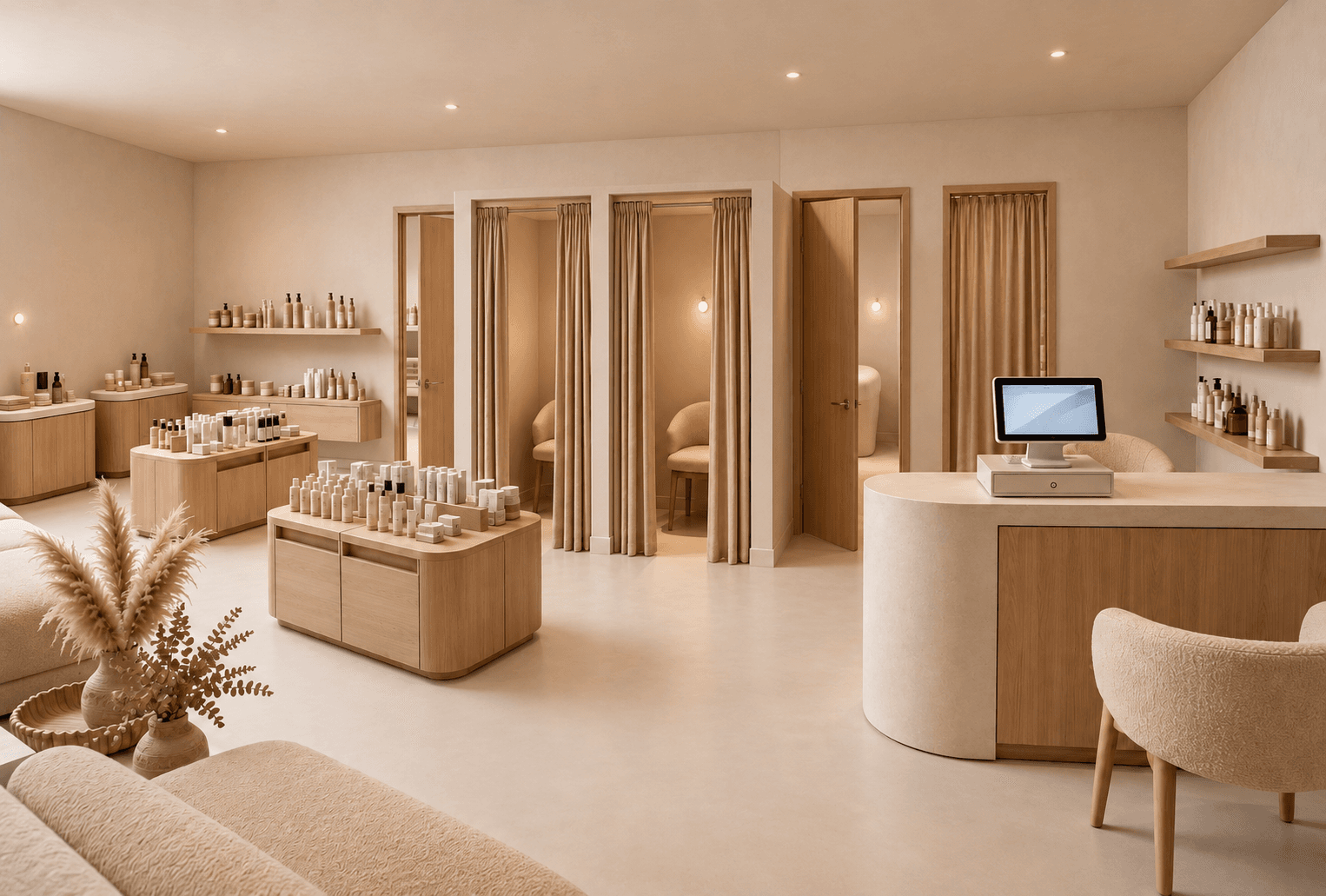 Example render
What a jewelry store needs
Jewelry is small, valuable and sold slowly. The store has to make tiny objects visible from a distance, give customers a calm place to sit and decide, and keep the product secure without feeling like a vault. Most decisions are made at a counter or a table, so those areas deserve the most attention.
- Showcases at a comfortable viewing height, with integrated lighting.
- Seated consultation areas, with a more private one for high-value pieces.
- A clear line of sight for staff across the whole floor.
- A window display that works day and night.
Lighting the product
Metals and stones need precise, high-quality light inside the showcases and calmer light around them, so the jewels are the brightest thing in the room. Too much ambient light flattens the sparkle; too little makes the space feel closed. Rendering the store at eye level is a quick way to judge that balance with a client.
Materials and atmosphere
Dark timber, stone, leather, velvet and brushed metal are common because they frame small bright objects well. Keep surfaces matte around the showcases to avoid reflections. Security requirements — glazing, locks, cameras — should be checked with specialists; a render helps agree on the look, not the specification.
A brief to start from
Adapt this to the house style:
Elegant jewelry store. Low glass showcases on bronze bases, lit wall vitrines, round consultation table with two upholstered chairs, walnut panelling, cream stone floor, soft ambient light and precise spotlights on the jewelry.
How to render a jewelry store
- 01
Start from what you have
A floor plan of the store, a photo of the empty unit, or nothing but a written brief.
- 02
Describe the concept
Showcases, counters, consultation areas, the materials and how bright the room should feel.
- 03
Generate and compare
Up to four variants at a time, so you can compare directions instead of committing to the first.
- 04
Refine and present
Fix one detail without regenerating, add an eye-level view from the entrance, export a PDF for the client.
What jewellers render with it
- Independent jewellery boutiques
- Bridal and engagement ring salons
- Watch and jewelry corners in a department store
- Window displays for a new collection
- Refits of an existing store from a photo
Questions about jewelry store design
Short answers to what people ask before their first render.
Try it freePrecise, high-quality light inside the showcases and calmer ambient light around them, so the product is the brightest element in the room.
It can show the look of showcases and glazing, but security specifications must be defined with specialists and suppliers.
Yes. Save the palette and materials as a brand kit and every render follows them.
Tools for the job
Idea Generator
Create a shop or interior concept render from a written brief. Explore retail displays, materials and lighting with AI, before you have a floor plan.
Learn moreFloor Plan → 3D
Turn a 2D floor plan into a 3D retail render with AI. Choose cutaway, top-down or eye-level views to explore store layouts. No 3D modeling needed.
Learn moreBrand kits
Save a client's palette, materials and mood once. Every render generated for that client follows the same guidelines, across every tool.
Learn moreFurther reading
 GuidesAI prompts for interior design that change the render
 PracticeWhy your renders drift, and how to stop it